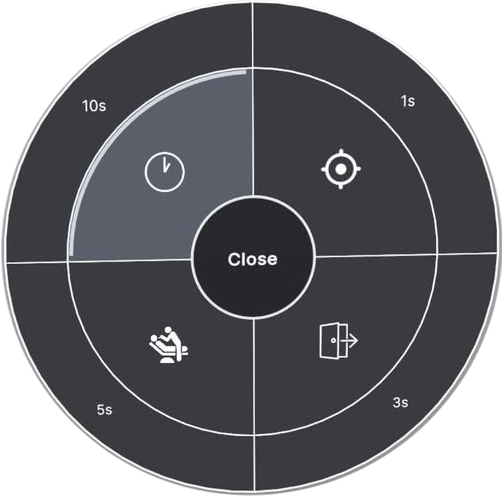
Hardware Shortcut: When using the Logitech MX Ink stylus, double-press the Rear button to open the menu directly at the stylus tip. Select the center node to close the menu without taking action.
Core Functions
Toggle Mixed Reality
Instantly switch between the fully enclosed virtual environment and the passthrough Mixed Reality view to orient yourself within the physical workspace.

Recenter Workspace
Realigns the virtual patient and instrument tray with your current seating position, working area, and desk height.

Exit Session
Safely ends the current simulation. Make sure your progress has been recorded before returning to the main menu.
Context-Specific Configurations
Beyond standard navigation, the Radial Menu intelligently adapts. When specific virtual instruments are equipped, context-sensitive controls provide immediate access to relevant options.
Pneumatic & Electric Handpieces
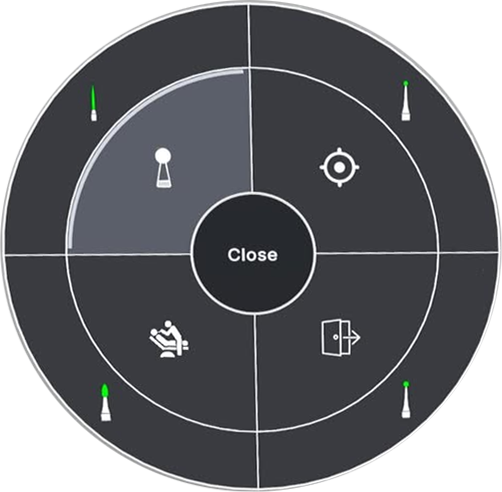
When operating high-speed or low-speed handpieces, the upper quadrant transforms to provide instant Bur Selection.
- Switch between compatible bur types, including Round, Fissure and Inverted Cone, without opening the main tray.
- Maintain procedural flow while keeping your attention on the working area.
Polishing Handpiece
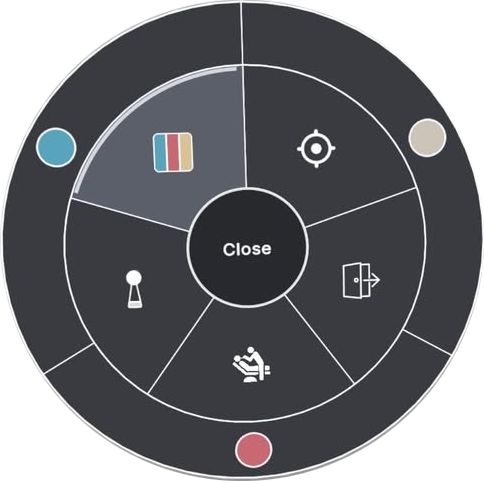
Polishing procedures require fine-tuned material interaction. The menu provides controls for both Cup or Point Selection and Paste Coarseness.
Dental Curing Light
Accurate polymerisation requires controlled exposure timing. The outer ring of the Radial Menu functions as an interactive timer for adjusting the curing duration.